One-tap attendance
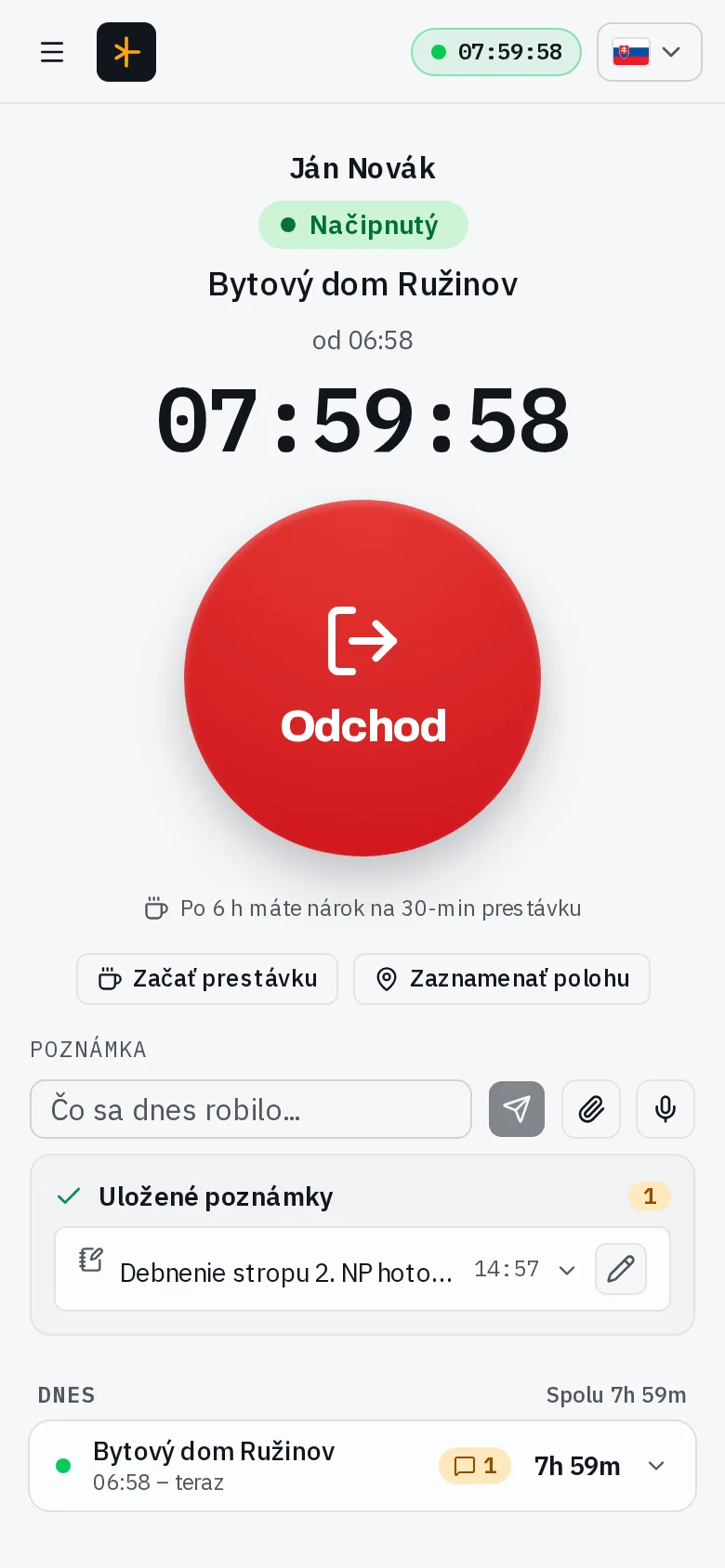
An employee opens their phone, taps a project and the check-in is recorded. Same on the way out. The app suggests the nearest project by location, tracks breaks and can auto-close forgotten shifts.
Attendance · Project diary · Payroll statements
Employees clock in and out with one tap on their phone. You get tidy hours, a ready-made monthly payroll statement and a project diary that practically writes itself. No paper, no installation, no hassle.
One tool for all kinds of operations:
Features
Nothing extra you would never use. Just what actually saves time at the end of the month.
An employee opens their phone, taps a project and the check-in is recorded. Same on the way out. The app suggests the nearest project by location, tracks breaks and can auto-close forgotten shifts.
Attendance and notes turn into a daily overview — who was on the project, from when to when and what was done, topped with an AI summary. Close the diary and download it as a PDF. For construction companies it doubles as the construction site diary.
Type a work note or dictate it straight into the phone. AI transcribes it into readable text and files it under the right day — ideal when a worker has their hands full.
Hours broken down by category — worked, night, weekend, holiday, overtime. One A4 page per employee in PDF, or an Excel (XLSX) export. Your payroll input is ready in seconds.
Vacation, sick leave, doctor visits or family care in a few taps, with approvals and a vacation balance overview. Absences flow into the statement, so the month adds up.
Ask in plain language — "who is on site right now?", "what's waiting for my approval?" — and the built-in assistant answers from your organization's own attendance data. Read-only by design: it can never change anything.
Worker, Manager, Admin and Owner — everyone sees only what is theirs. Managers approve their own crews, delegated permissions and custom roles cover the org structures a real company has.
Nothing to install from an app store — the app runs in the browser and can be added to the phone's home screen, where it opens full-screen and survives patchy site connectivity (PWA).
How it works
They arrive on site, tap a project — the check-in is recorded. Same on the way out. Optionally they add a note about what was done that day.
Attendance and notes become a project diary with a daily overview and an AI summary. Nothing to copy over from paper.
At the end of the month you export the payroll hours statement (PDF/Excel) and the project diary as a PDF. Done.
Screenshots
Real screens from the app — a demo company, one ordinary workday.
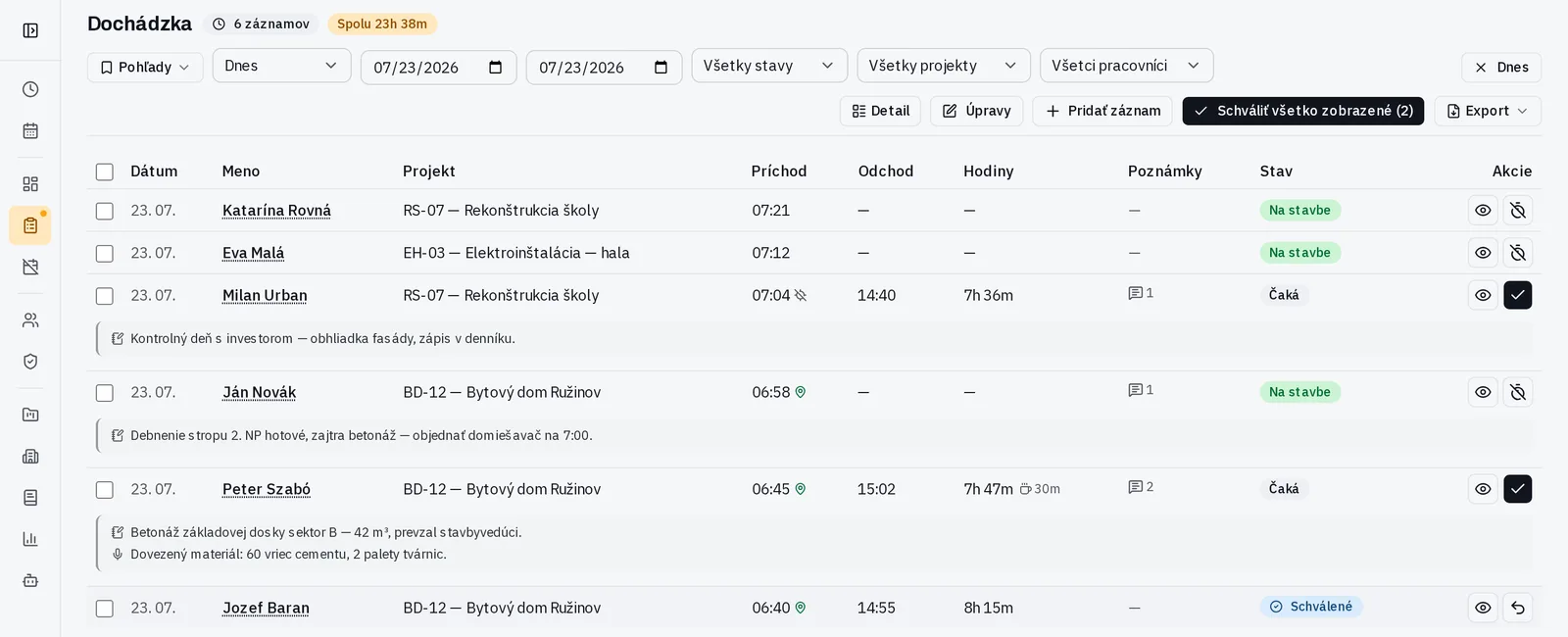
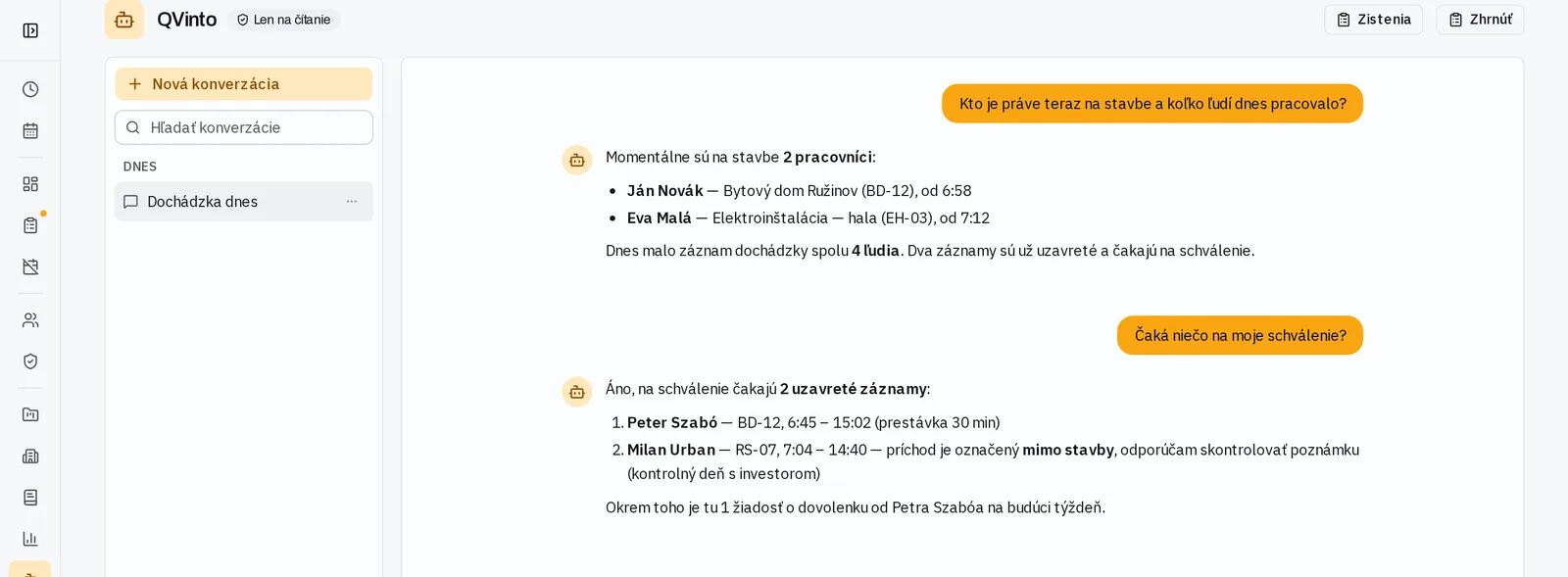
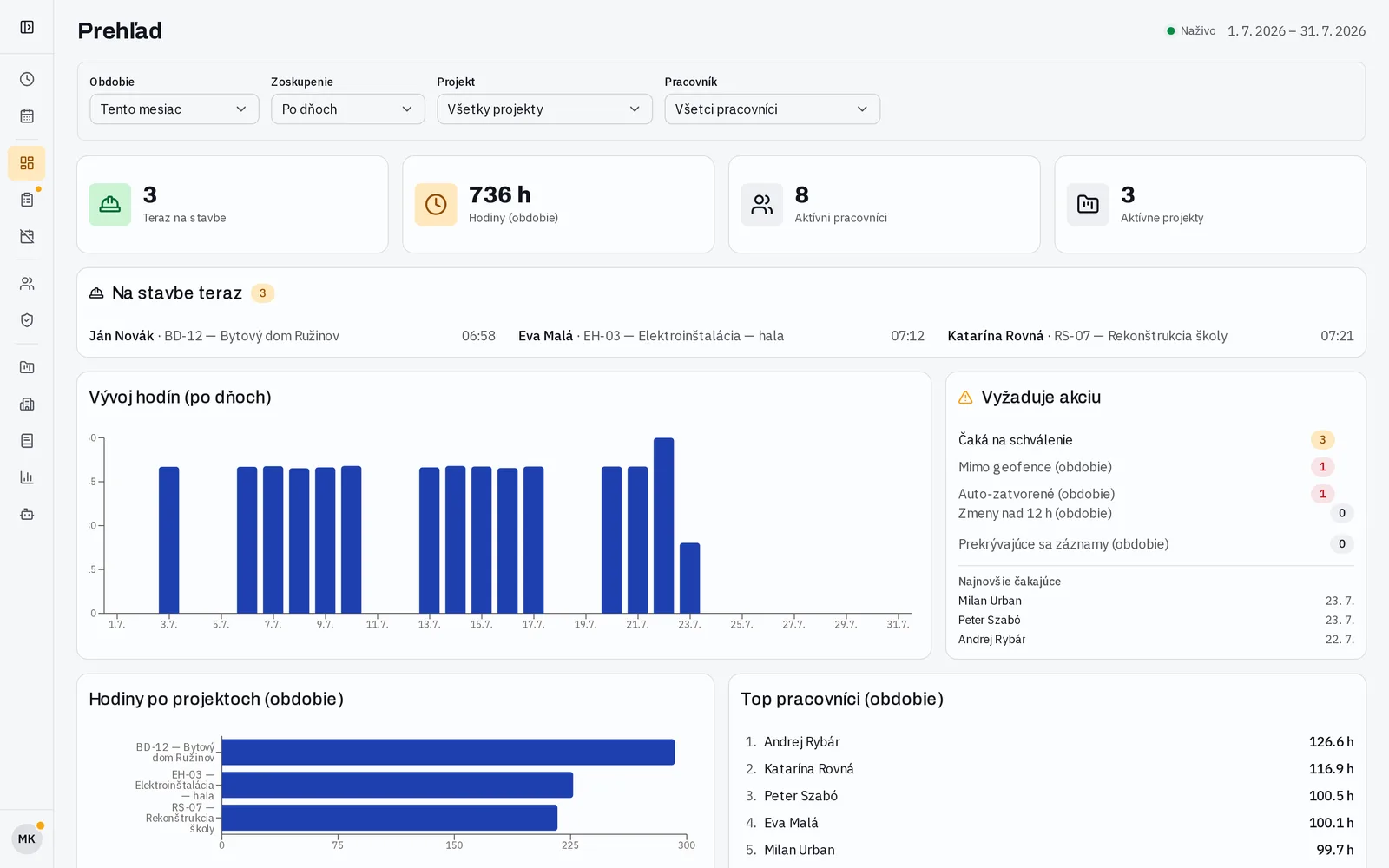
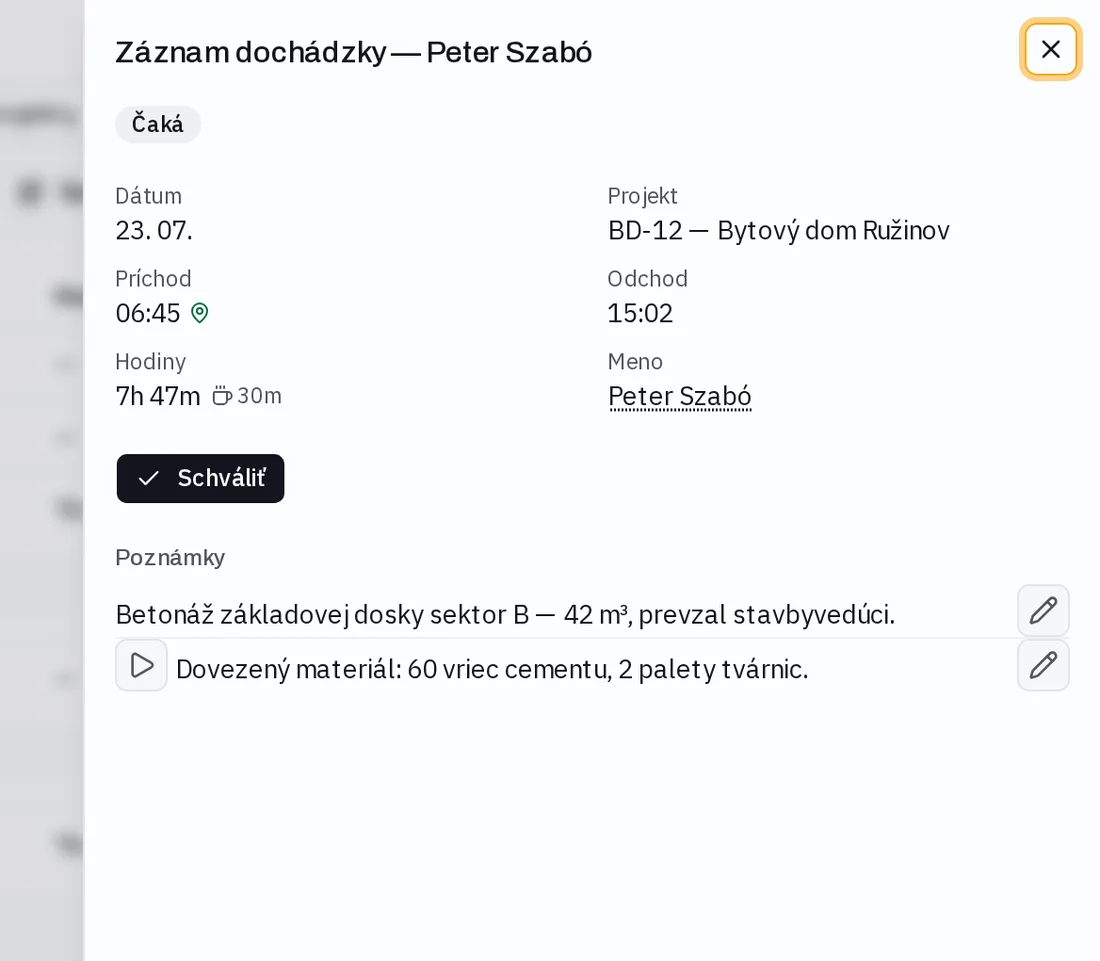
Out of the box Turniket speaks the language of construction companies, electrical contractors and trade crews — sites, site diaries, geofence. But the whole product is built and evolved with AI, so adapting it to a different field — facility service, cleaning crews, agencies, rentals — is a matter of days, not months.
Write us what your operation needsWhat's new
The latest releases, taken straight from the app's changelog — everything you see here is already live.
Pricing
Start free. Upgrade when you need more people or AI features.
€0
Up to 5 people, one organization
€19/ month
Up to 10 people
€49/ month
Up to 30 people
Custom
Unlimited people, tailored terms
Prices exclude VAT. The Free plan has no AI features — unlock them with a one-time €5 add-on.
FAQ
Any operation that needs to track attendance by people or projects — companies and offices, tradespeople, construction companies, gyms and studios, schools and clubs, or events and temp crews. For construction companies the project diary doubles as the construction site diary; everyone else uses it as an overview of what happened on a project on a given day.
There is a Free plan for up to 5 people in one organization (attendance, diary, exports — no AI). Every signup starts with a 14-day full-featured trial; after it ends you continue on the Free plan automatically. Paid plans are flat monthly: Small €19 for up to 10 people, Medium €49 for up to 30, and Enterprise on request. AI features (the QVinto assistant, voice transcription, AI diary) are included from Small up, or can be added to Free as a one-time €5 add-on.
Data is stored on servers in the European Union. Every organization has its data separated from the others and access is governed by roles (Worker, Manager, Admin, Owner). A versioned privacy policy with user consent is included, along with data export and erasure on request — the current wording is at time.ity.sk/gdpr.
No. Turniket runs in a regular browser on both desktop and phone. On the phone you can add it to the home screen as an app (PWA) — it opens full-screen and works like a native app, without an app-store download.
Worked time is automatically broken down into categories — worked hours, night work, Saturday, Sunday, public holidays and overtime — with breaks deducted. The result is a monthly statement you hand to payroll as PDF or Excel.
Click “Try it for free”, create an organization, verify your e-mail and invite your employees. You can do the first clock-in the very same day. If you have questions, write to us at time@ity.sk.
14 days free, no card. In a few minutes you have the first clock-in and tidy hours.
Try it for free